
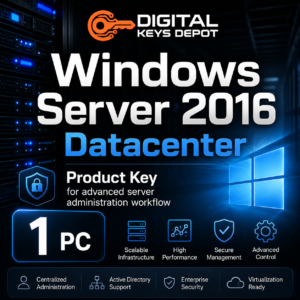
Microsoft Windows Server 2016 Datacenter Product Key for 1 PC
Microsoft Windows Server 2016 Datacenter is a server operating system edition designed for advanced infrastructure, virtualization-focused environments, high-density server deployment, and datacenter administration. This product is intended for users who need a Windows Server 2016 Datacenter product key for 1 compatible PC or server installation.
This edition is commonly selected by IT administrators, system builders, managed service providers, and business users who need more than a basic server setup. It is suitable for environments that depend on virtualization, centralized management, server roles, storage workflows, and scalable infrastructure planning.
Compared with the Standard edition, Datacenter is positioned for heavier server workloads and more advanced infrastructure scenarios. It is a better match when your server environment requires broader virtualization use, datacenter-oriented features, or a platform designed for larger administrative workloads.
What’s Included
- 1x Windows Server 2016 Datacenter product key
- Activation for 1 compatible PC/server installation
- Support for Windows Server 2016 Datacenter full edition
- Access to order details through your Digital Keys Depot account dashboard
- Email order status notifications
- Friendly customer support for product and activation-related questions
Common Use Cases
Windows Server 2016 Datacenter is made for server-side workloads, not regular desktop use. It fits infrastructure environments where performance planning, virtualization, and administrative control are important.
- Virtualization-heavy server deployment
- Hyper-V host environments
- Datacenter server administration
- Advanced storage and server infrastructure workflows
- Enterprise application hosting
- Domain controller and Active Directory environments
- File services, print services, and internal network roles
- IT lab, testing, and staging server environments
- Legacy business infrastructure that requires Windows Server 2016 Datacenter
How Windows Server 2016 Datacenter Fits Business Infrastructure
Datacenter environments often require a server platform that can support multiple roles, centralized control, and virtualization planning. Windows Server 2016 Datacenter is designed for administrators who manage more complex systems than a single-purpose file server or basic office server.
For example, a business may use this edition as the foundation for virtual machines, internal applications, domain services, access control, storage management, and server-based workflows. It gives technical teams a familiar Microsoft server environment for building and maintaining infrastructure across business departments.
This makes the Datacenter edition useful for organizations that need to consolidate workloads, prepare a structured virtual server environment, or maintain compatibility with applications that were built around Windows Server 2016. It is also useful for IT professionals who need a server platform for testing, migration planning, and administrative training.
Datacenter Edition vs Standard Edition
The Datacenter edition is best suited for larger or more advanced server environments. If your setup is focused on basic server roles such as file sharing, print services, domain services, or a small business server workload, Windows Server 2016 Standard may be a better fit.
If you are building a smaller office server and do not need advanced datacenter-oriented capabilities, you may also compare Windows Server 2016 Essentials. Essentials is usually more suitable for simpler small business environments, while Datacenter is aimed at advanced infrastructure and virtualization workflows.
For remote desktop access, please note that a Windows Server product key is different from a Remote Desktop Services CAL. If users or devices need remote desktop access to the server, compare the related Windows Server 2016 RDS Device CAL and Windows Server 2016 RDS User CAL.
Activation Information
This product is for Windows Server 2016 Datacenter only. Before purchasing, check that your installed edition matches the product key edition. A Datacenter key is not intended for Standard, Essentials, Evaluation, desktop Windows editions, or other Windows Server versions.
After your order is processed, your order information can be accessed from your Digital Keys Depot account dashboard by visiting My Account and opening your order details. For more information about how order access works, you can review the delivery information page.
How to Convert Windows Server 2016 Evaluation to Full Datacenter Edition
If your server is currently installed as the Evaluation edition, convert it to the full Datacenter edition before entering your purchased product key. Follow the steps below carefully.
- Open Command Prompt as Administrator.
Right-click the Start button, then choose Command Prompt (Admin) or Windows PowerShell (Admin). - Enter the Windows Server 2016 Datacenter generic product key and run the command below.
Generic key:CB7KF-BWN84-R7R2Y-793K2-8XDDG
Command:dism /online /set-edition:ServerDatacenter /productkey:CB7KF-BWN84-R7R2Y-793K2-8XDDG /accepteula - Restart the server.
Follow the restart prompt. After restarting, Windows Server should be converted to the full Datacenter edition but may still need activation. - Enter your purchased product key for activation.
Open Activation Settings, choose Change Product Key, enter your purchased key, then continue with activation.
System Requirements
- Compatible server hardware or supported virtual machine environment
- Windows Server 2016 Datacenter full edition installation media
- 64-bit processor support
- Memory and storage capacity suitable for your server roles and workloads
- Internet connection may be required for activation and system updates
Actual hardware requirements depend on the workload. A server used for multiple virtual machines, business applications, or storage services will usually need stronger CPU, memory, and disk planning than a single-role server.
Compatibility & Purchase Notice
Please confirm the version, edition, and PC count before purchasing. This product is intended for Windows Server 2016 Datacenter for 1 compatible PC/server installation. It is not intended for Windows Server 2016 Standard, Windows Server 2016 Essentials, Windows Server 2019, Windows Server 2022, Windows Server 2025, or desktop Windows editions.
If you are not sure whether Datacenter is the right edition for your server environment, you can contact support through the contact us page before placing an order. For general store questions, the FAQ page may also help with common order and account topics.
Product-Specific FAQ
Is this product for Windows Server 2016 Datacenter only?
Yes. This product is intended for Windows Server 2016 Datacenter. It should not be used for Standard, Essentials, Evaluation, or newer Windows Server versions unless the installed edition has been converted to the correct full Datacenter edition.
Can this key activate more than one server?
This product package is for 1 compatible PC/server installation. Make sure the PC count matches your intended setup before purchasing.
What is the main difference between Datacenter and Standard?
Datacenter is aimed at more advanced server infrastructure and virtualization-heavy environments. Standard is usually a better match for more typical server roles and smaller infrastructure needs.
Do I need Remote Desktop Services CALs with this product?
Only if your server environment requires Remote Desktop Services access for users or devices. RDS CALs are separate from the Windows Server Datacenter product key.
Do I need to convert the Evaluation edition first?
Yes. If your installation is currently the Evaluation edition, convert it to the full Datacenter edition first, then enter your purchased product key for activation.
Related Products and Categories
If you are comparing Windows Server 2016 editions, review Windows Server 2016 Standard for general server workloads or Windows Server 2016 Essentials for smaller business environments. For remote access planning, compare the related Windows Server 2016 RDS Device CAL and Windows Server 2016 RDS User CAL.
You can also browse the wider Windows Server product keys category to compare different server generations, or visit the main Windows product keys category for desktop and server operating system options.
Reviews
There are no reviews yet.