
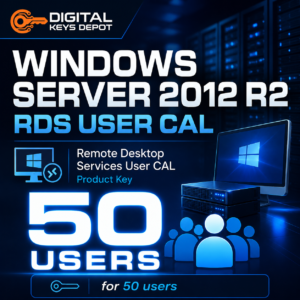
Microsoft Windows Server 2012 R2 Remote Desktop Services User CAL – 50 Users
Microsoft Windows Server 2012 R2 Remote Desktop Services User CAL – 50 Users is designed for businesses, IT administrators, and managed server environments that need user-based Remote Desktop Services access licensing. This product is suitable when individual users need to connect to a Windows Server 2012 R2 RDS environment from different devices, such as office desktops, laptops, shared workstations, or remote access endpoints.
This is a Remote Desktop Services Client Access License product. It is not a Windows Server operating system activation key. It is intended for an existing activated Windows Server 2012 R2 environment where Remote Desktop Services is already being used or prepared for user-based access.
What’s Included
- 1x Windows Server 2012 R2 Remote Desktop Services User CAL license key
- Supports 50 user-based RDS client access licenses
- Designed for Windows Server 2012 R2 Remote Desktop Services
- User CAL model, not Device CAL
- For adding RDS user access licensing to an existing activated server
- Order details available through your web store account dashboard
Common Use Cases
- Remote desktop access for named users
- Business users connecting from more than one device
- Office staff who use both desktop and laptop access
- Remote workers accessing server-hosted applications
- Administrative teams managing server-based workflows
- Branch office users connecting to centralized applications
- Legacy business software access through Remote Desktop Services
- Managed RDS environments where user count is easier to track than device count
User CAL vs Device CAL: Choosing the Right RDS Model
A User CAL is usually the better choice when each person may connect from multiple devices. For example, one employee may use a workstation at the office, a laptop while traveling, and another device when working remotely. In that situation, licensing by user can be easier to manage than licensing each device separately.
A Device CAL works differently. It is commonly selected when multiple people share the same fixed computers, such as front desk terminals, warehouse stations, classroom PCs, or shift-based workstations. If your setup is based on shared devices instead of named users, compare this option with Windows Server 2012 R2 Remote Desktop Services Device CAL – 50 Devices.
How This RDS User CAL Fits Business Workflows
Remote Desktop Services helps organizations centralize access to desktops, internal tools, business applications, and server-hosted resources. Instead of maintaining the same application stack on every local machine, users can connect to a managed server environment and access the tools they need through a remote desktop session.
The user-based licensing model is useful for businesses where access follows the person, not the machine. This can be helpful for managers, accountants, support staff, remote employees, IT administrators, or other team members who may use more than one device during their normal workflow.
Activation & Licensing Information
This product adds Remote Desktop Services User CAL licensing to an existing activated Windows Server 2012 R2 server environment. It cannot be used to activate Windows Server itself. Before ordering, please confirm that your server operating system is already installed, activated, and compatible with Windows Server 2012 R2 Remote Desktop Services.
After your order is completed, order status notifications are sent to your email. Your purchased product details can be viewed through your account area by visiting My Account >> View Orders. For more details about accessing digital orders, you can review the delivery information page.
System Requirements
- An existing activated Windows Server 2012 R2 environment
- Remote Desktop Services role configured on the server
- RDS licensing setup prepared for User CAL installation
- Administrator access to manage server roles and RDS licensing
- Compatible client devices for remote desktop connections
- Network configuration suitable for remote access workflows
Compatibility & Purchase Notice
Please check your server version, RDS licensing mode, and CAL type before purchasing. This product is for Windows Server 2012 R2 Remote Desktop Services User CAL licensing. It is not a Device CAL, not a Windows Server product key, and not intended for Windows Server 2016, 2019, 2022, or 2025 environments.
If you still need the server operating system itself, related options include Windows Server 2012 R2 Standard, Windows Server 2012 R2 Datacenter, and Windows Server 2012 R2 Essentials. You can also browse the Windows Server product keys category to compare related server products.
If you are unsure whether User CAL or Device CAL is the correct model for your environment, contact support through the Contact Us page before placing your order.
FAQ
Is this product for 50 users or 50 devices?
This product is for 50 users. It uses the RDS User CAL model, which is suitable when access is assigned to people rather than fixed devices.
Can this key activate Windows Server 2012 R2?
No. This is a Remote Desktop Services User CAL product. It is used for RDS access licensing and cannot activate the Windows Server operating system itself.
When should I choose User CAL instead of Device CAL?
Choose User CAL when individual users need remote desktop access from more than one device. Choose Device CAL when many users share the same fixed devices.
Does this work with Windows Server 2012 R2 Standard or Datacenter?
It is designed for Windows Server 2012 R2 Remote Desktop Services environments. Make sure your server is already activated and configured for RDS licensing before using this product.
Is this suitable for remote employees?
Yes. User CAL licensing can be suitable for remote employees or staff members who need access from multiple devices, depending on how your RDS environment is configured.
Related Products
For device-based licensing, compare this product with Windows Server 2012 R2 Remote Desktop Services Device CAL – 50 Devices. If you need the server operating system first, review Windows Server 2012 R2 Standard, Windows Server 2012 R2 Datacenter, or Windows Server 2012 R2 Essentials based on your server role and infrastructure needs.
Reviews
There are no reviews yet.