Visual Studio Product Keys
Browse Visual Studio Product Keys for developers, software engineers, students, and technical teams looking for Microsoft development tools for coding, debugging, application testing, and software deployment workflows.
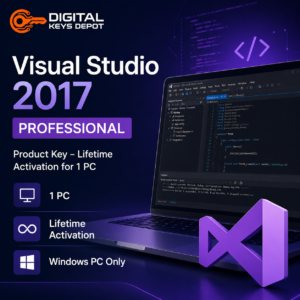
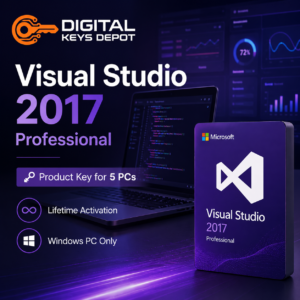
This category includes Visual Studio Professional and Enterprise editions across multiple versions including Visual Studio 2017, Visual Studio 2019, Visual Studio 2022, and Visual Studio 2026. Available options include both 1 PC and 5 PC activations depending on your development environment requirements.
Visual Studio is commonly used for C#, .NET, ASP.NET, C++, desktop applications, web applications, cloud-connected projects, enterprise development workflows, debugging environments, and integrated development tasks across Windows-based systems.
Showing all 12 results
Showing all 12 results
💻 What Is Microsoft Visual Studio?
Microsoft Visual Studio is an integrated development environment (IDE) designed for software development, debugging, testing, and application deployment. It is widely used by developers building desktop applications, web applications, APIs, enterprise systems, cloud-connected software, and database-driven projects.
Visual Studio combines source code editing, project management tools, debugging utilities, compiler support, and development extensions into a unified development workspace. It is commonly used by individual developers, software engineering students, IT teams, business application developers, and enterprise environments requiring structured coding workflows.
Developers working with Windows environments may also combine Visual Studio with Windows Product Keys for testing, deployment, and workstation setup compatibility.
⚡ Common Visual Studio Development Workflows
- C# and .NET application development
- ASP.NET web application projects
- Desktop software development for Windows
- Cloud-connected software projects
- Database application development
- Software debugging and testing workflows
- Git-based source control collaboration
- Enterprise software environments
- Cross-team software engineering projects
- Business application development
- API and backend service development
- Educational programming environments
🧩 Choosing the Right Visual Studio Version
Different Visual Studio generations may be suitable depending on your development workflow, extension compatibility, project requirements, and supported frameworks.
Visual Studio 2017 is commonly selected for older development environments, legacy application maintenance, and compatibility-focused workflows involving older plugins or frameworks.
Visual Studio 2019 remains widely used for modern .NET development, desktop application projects, and business application workflows requiring stable long-term compatibility.
Visual Studio 2022 introduced major improvements for modern development environments, larger projects, performance optimization, and updated developer productivity tools.
Visual Studio 2026 is suitable for users looking for newer Microsoft development environments, updated enterprise workflows, and long-term software development ecosystems.
Users building database-driven applications may also explore SQL Server Product Keys for backend database environments and structured data workflows.
🖥️ Professional vs Enterprise Edition
Professional Edition is generally suitable for individual developers, freelancers, students, small teams, and standard software development workflows.
Enterprise Edition is designed for larger organizations and advanced development environments requiring enterprise testing tools, advanced debugging capabilities, architecture validation, collaborative development workflows, and enterprise-scale project management.
Please make sure you select the correct edition and activation count for your intended development workflow before placing your order.
🔧 Development Ecosystem Compatibility
Visual Studio is frequently used alongside Microsoft development and productivity ecosystems including Windows environments, SQL Server databases, cloud-connected applications, Office integrations, and enterprise business systems.
Developers building workflow automation, reporting systems, or Office-integrated applications may also find related tools inside our Office Product Keys, Access Product Keys, and Project Product Keys categories.
📚 Additional Information
Please review our Delivery Information and FAQ pages for additional setup, activation, and order-related information.
If you are unsure which Visual Studio version or edition best fits your development environment, you can also contact us through our Contact Us page before purchasing.