Project Product Keys
Explore Microsoft Project product keys for desktop project planning, scheduling, Gantt charts, timelines, milestones, task dependencies, resource planning, and reporting. Compare Project versions including 2010, 2013, 2016, 2019, 2021, and 2024 to find the edition, activation format, and PC count that fits your workflow.

Showing 1–12 of 15 results


Showing 1–12 of 15 results
Microsoft Project Product Keys for Project Planning Workflows
Microsoft Project is desktop project management software for users who need a structured way to plan schedules, organize tasks, manage deadlines, track milestones, review timelines, and prepare project reports. This category includes multiple Project editions and release years for different planning workflows, device counts, and activation formats.
Whether you manage small business tasks, client projects, IT deployments, construction timelines, training schedules, operations planning, or consulting work, Project helps convert task lists into visual schedules. Users can work with Gantt charts, dependencies, milestones, baselines, project calendars, and reporting views depending on the selected version and edition.
Common Project Use Cases
- Building project schedules and task lists
- Creating Gantt charts for timeline visibility
- Managing task dependencies and project phases
- Tracking milestones, deadlines, and deliverables
- Planning resource usage across project activities
- Preparing project reports for meetings or client updates
- Supporting IT, operations, construction, consulting, training, and administrative workflows
- Maintaining older Project files or desktop planning templates
Choosing the Right Project Version
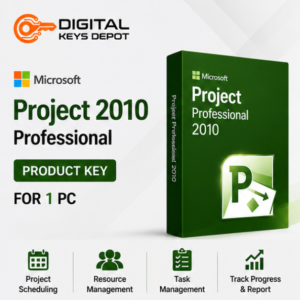
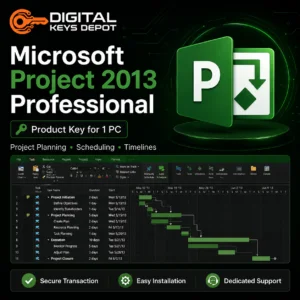
Older releases such as Project 2010 Professional for 1 PC and Project 2013 Professional for 1 PC may be suitable for users who need compatibility with legacy project files, older templates, or familiar desktop workflows.
Project 2016 Professional is a practical middle option for users who want a more recent desktop planning environment while keeping a classic project management workflow. It is commonly used for schedules, Gantt charts, baselines, resources, milestones, and progress tracking.
For users comparing 2019 editions, Project 2019 Standard for 1 PC is better suited for core scheduling, timelines, tasks, milestones, and reporting. Project 2019 Professional for 1 PC is a stronger fit when the workflow requires deeper project control, resource planning, baselines, and dependency management.
Project 2021 and Project 2024 options are useful for buyers who prefer a newer desktop Project environment. For account-bound activation formats, compare Project 2024 Standard BIND Key for 1 PC with Project 2024 Professional BIND Key for 1 PC. Standard is best for core scheduling, while Professional is better for resource coordination, baselines, and more advanced project management needs.
1 PC vs 5 PCs
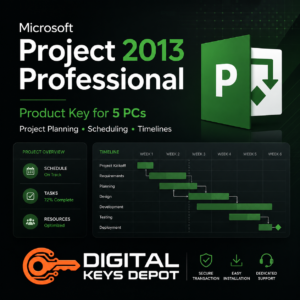
Choose a 1-PC option if project planning is handled from one dedicated workstation, laptop, or office computer. Choose a 5-PC option if a small team, department, training room, or consulting group needs the same Project release across several compatible PCs.
For example, a single project manager may only need a 1-PC product, while a department with coordinators, managers, and reporting users may prefer a 5-PC option such as Project 2019 Professional for 5 PCs.
Activation Format and Compatibility
Before ordering, check the correct release year, edition, activation format, and PC count. Some products use a standard product key format, while selected BIND Key products use Microsoft account-bound redemption. Make sure the selected product matches your setup and the account or device workflow you plan to use.
Project products in this category are intended for compatible PC environments and are not for Mac. Internet access may be required for setup, account redemption, or activation depending on the selected product type.
Related Microsoft Product Categories
If you are preparing a device for project work, you may also need a compatible operating system from the Windows Product Keys category. For project documentation, spreadsheets, reports, proposals, and presentations, browse Office Product Keys.
Project planning often works together with visual process mapping. If your workflow includes flowcharts, diagrams, workflows, or organizational charts, the Visio Product Keys category may also be useful.
Order and Support Information
Product details are available through your Digital Keys Depot account area after order processing. To understand how order access works, visit the Delivery Information page. For common setup, product, and account questions, review the FAQ page before choosing a Project product.