Windows Server Product Keys
Browse Microsoft Windows Server product keys for Standard, Datacenter, Essentials, and Remote Desktop Services CAL needs. This category is designed for server infrastructure, virtualization, Active Directory, file services, remote desktop access, business applications, and legacy server environments. Compare each Windows Server version and edition based on workload size, virtualization needs, RDS licensing type, and compatibility before choosing the right product.
Showing 13–24 of 34 results
Showing 13–24 of 34 results
Microsoft Windows Server Product Keys for Business Infrastructure and Remote Desktop Environments
The Windows Server Product Keys category is built for businesses, IT administrators, system builders, and technical users who need Microsoft Windows Server for infrastructure workloads. This category includes server operating system editions, older legacy server versions, newer Standard and Datacenter products, Essentials editions, and Remote Desktop Services CAL options.
Unlike desktop Windows editions, Windows Server is designed for network services, centralized management, virtualization, remote access, and business applications. It is commonly used for Active Directory, domain services, file sharing, Hyper-V, Remote Desktop Services, internal applications, database-backed systems, and office network infrastructure.
Common Use Cases
- Active Directory and domain services: manage users, devices, permissions, and business network access.
- File and storage services: centralize shared folders, department files, backup workflows, and internal resources.
- Hyper-V virtualization: run virtual machines for business applications, testing, isolation, or server consolidation.
- Remote Desktop Services: allow users or devices to access remote desktops and server-hosted applications.
- Small business servers: support basic office infrastructure, users, devices, shared data, and local administration.
- Legacy server environments: maintain older applications or infrastructure that still requires earlier Windows Server versions.
Choosing the Right Windows Server Version
For modern infrastructure, Windows Server 2025 Standard is suitable for general business workloads, file services, Active Directory, light virtualization, and modern server deployments. If your environment needs more advanced virtualization or larger infrastructure capacity, Windows Server 2025 Datacenter is usually the stronger option.
Windows Server 2022 remains a practical choice for many current business environments. It is often selected for stable production servers, virtualization hosts, remote access, and internal application workloads. Older versions such as Windows Server 2019, 2016, 2012 R2, 2012, and 2008 R2 are more relevant for legacy systems, older application stacks, or compatibility-specific deployments.
Essentials editions are generally more suitable for small business setups with simpler server needs, while Standard and Datacenter are better for broader infrastructure roles. Datacenter is typically selected when virtualization density, advanced server features, or larger environments are part of the plan.
Remote Desktop Services CAL Options
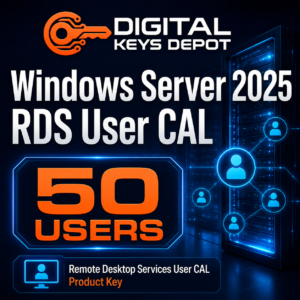
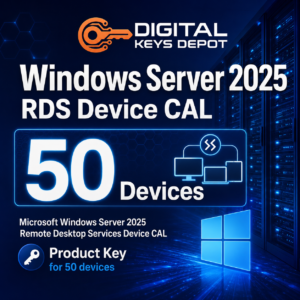
Some products in this category are not Windows Server operating system keys. Remote Desktop Services CALs are used to license access to an RDS environment. A User CAL is better when access follows a named user who may connect from multiple devices, while a Device CAL is better for shared workstations, labs, terminals, reception desks, or shift-based computers.
For Windows Server 2025 RDS environments, compare Windows Server 2025 RDS User CAL – 50 Users with Windows Server 2025 RDS Device CAL – 50 Devices. Choosing the right CAL type is important because RDS User CAL and Device CAL are designed for different access models.
Compatibility Information
Before ordering, check the exact Windows Server version, edition, and product type. A Standard key should be used with Standard, a Datacenter key should be used with Datacenter, and an RDS CAL should be used only for Remote Desktop Services access licensing. RDS CAL products do not activate the Windows Server operating system.
For newer deployments, match your server version with compatible roles, hardware, drivers, and application requirements. For older environments, confirm that your business application, database version, backup software, and remote access configuration still require that legacy Windows Server version before purchasing.
Related Categories
For desktop operating systems, browse the main Windows product keys category or compare Windows 10 product keys and Windows 11 product keys. Desktop Windows products are different from Windows Server products and should not be selected for server infrastructure roles.
If your server environment needs database software for ERP systems, accounting platforms, business applications, or internal data workloads, browse the SQL Server product keys category. SQL Server is commonly used alongside Windows Server in business infrastructure, but it is a separate product family.
Product Access and Support
After order processing, product details are available through your Digital Keys Depot account dashboard. You can review the delivery information page for account access details, check the FAQ page for common store questions, or contact us if you need help choosing the correct Windows Server version, edition, or RDS CAL type before purchase.