If you manage business devices that must stay stable for years, you’ve probably looked at LTSC builds. The question that comes up next is usually the same: should you deploy Windows 11 Enterprise LTSC or Windows 11 IoT Enterprise LTSC?
They sound almost identical, and they share the same Windows 11 foundation. But the “right” edition depends on your device type (general enterprise workstation vs fixed-function device), how long you plan to keep the hardware in the field, and how strict your environment is about change control.
This guide compares both editions in plain English, including the lifecycle differences, practical features, real-world pros/cons, and how to choose the best option for your deployment.
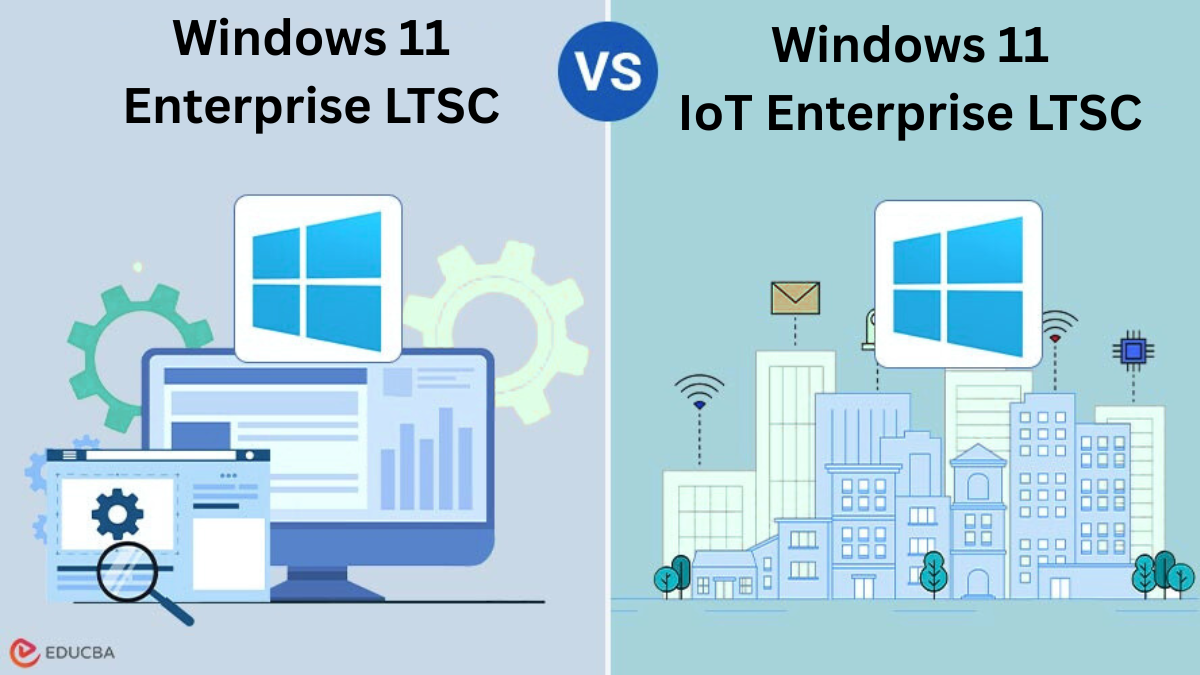
Table of Contents
- Quick Comparison
- What “LTSC” Means (and Why It Matters)
- Windows 11 Enterprise LTSC 2024 Overview
- Windows 11 IoT Enterprise LTSC 2024 Overview
- Key Differences That Actually Matter
- Pros and Cons (Both Editions)
- Which One Should You Choose?
- Windows 11 Enterprise Product Key vs Windows 11 IoT Enterprise Product Key
- FAQ
- Final Takeaway
Quick Comparison: Windows 11 Enterprise LTSC vs Windows 11 IoT Enterprise LTSC
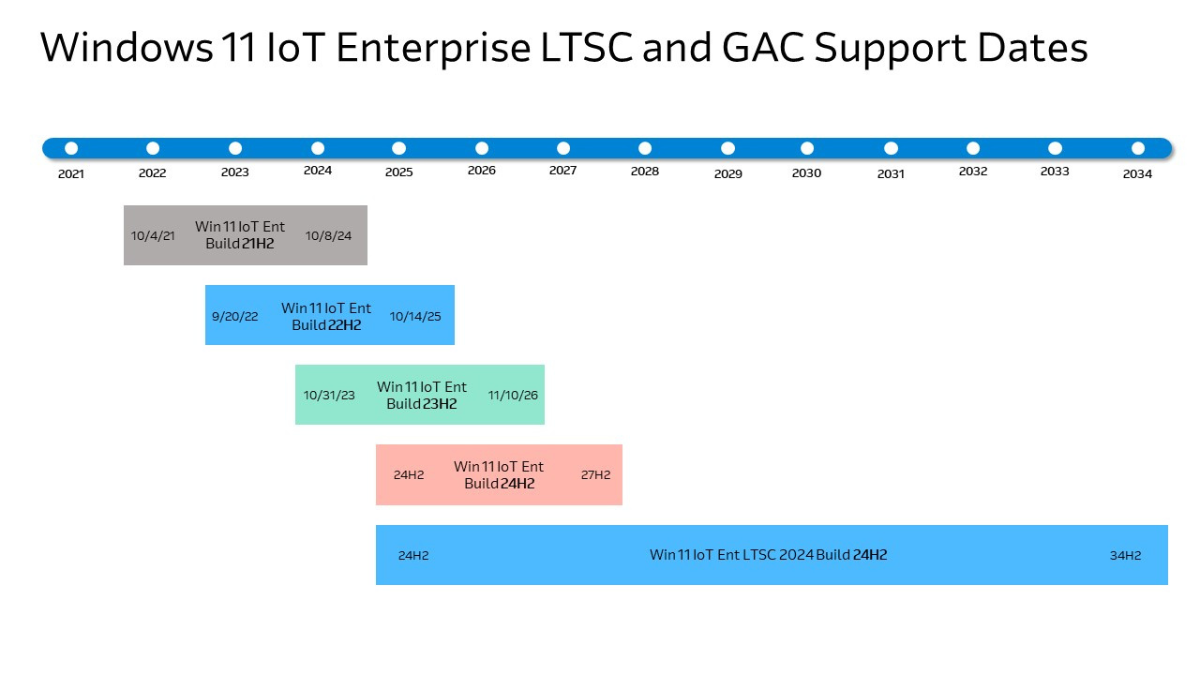
If you just want the headline difference: windows 11 enterprise ltsc is a stable Windows 11 Enterprise baseline intended for special-use devices in enterprise environments, while windows 11 iot enterprise ltsc is tuned for fixed-function devices that should remain consistent for a very long time (often a decade).
| Category | Windows 11 Enterprise LTSC 2024 | Windows 11 IoT Enterprise LTSC 2024 |
|---|---|---|
| Primary target | Special-use enterprise devices & controlled environments | Fixed-function devices (kiosk, POS, signage, industrial, healthcare) |
| Lifecycle strategy | Long-term stability with a defined servicing window | Designed so features/functionality stay constant for the life of the device |
| Ideal refresh cycle | Organizations that validate & refresh on a shorter cycle | Organizations that keep devices deployed for many years |
| Lockdown mindset | Enterprise stability and strong admin control | “Appliance-like” behavior, strong fit for kiosk/restricted experiences |
What “LTSC” Means (and Why It Matters)
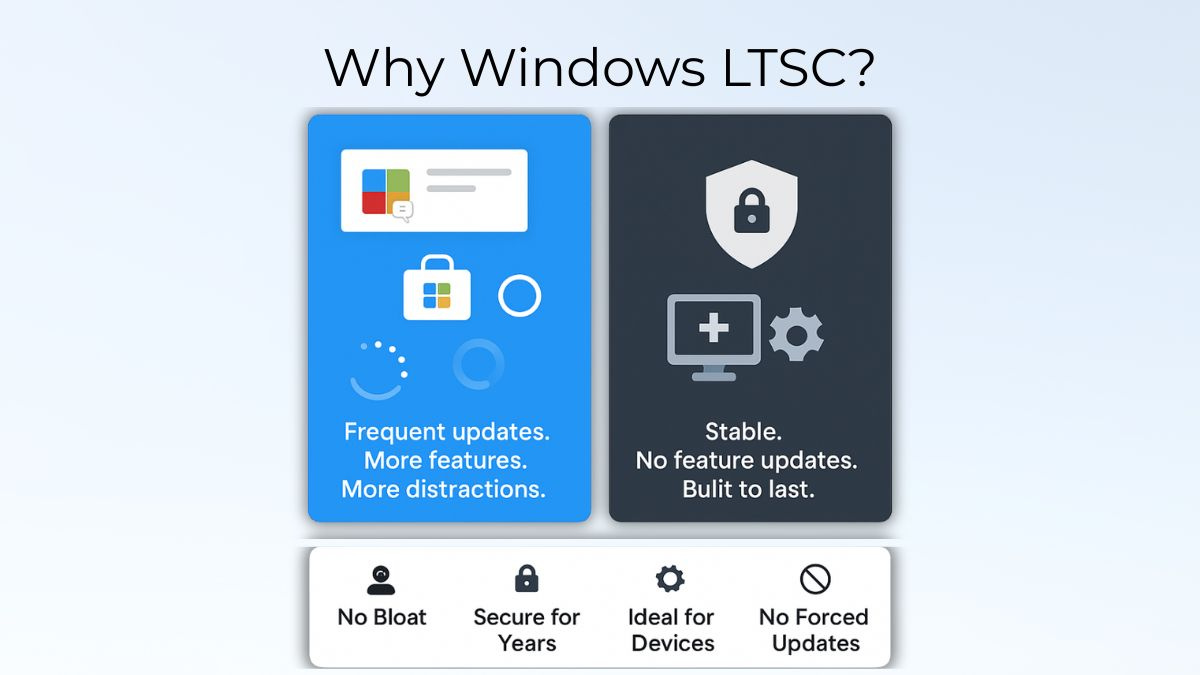
LTSC stands for Long-Term Servicing Channel. In practical terms, LTSC releases are built for organizations that prioritize predictability over frequent feature changes. Instead of constantly shifting features, LTSC editions are chosen when devices must remain consistent for compliance, validation, uptime, or operational simplicity.
That stability matters most on devices that do one dedicated job: a kiosk that must always boot into the same interface, a production workstation tied to a single application, or a point-of-sale device that can’t afford surprise UI changes after a random upgrade.
- Less feature churn: fewer disruptions caused by new feature waves.
- Simpler validation: easier to certify or test a stable baseline.
- Long planning horizon: you can schedule refreshes deliberately instead of reacting to frequent feature shifts.
Windows 11 Enterprise LTSC 2024 Overview
Windows 11 Enterprise LTSC 2024 is an Enterprise LTSC release designed for special-use scenarios where stability is more important than receiving frequent new features. It’s a strong option for devices that must stay consistent, especially where change control and testing are taken seriously.
Think of it as a “steady” enterprise Windows 11 baseline: modern enough to run current apps and security tools, but intended to minimize disruptive change for environments that depend on predictable behavior.
What it’s best for
- Specialized enterprise workstations tied to one or two line-of-business apps
- Lab or testing environments where you need repeatable results
- Regulated workflows that require strict validation before change
- Dedicated PCs used for training rooms, dispatch desks, or controlled terminals
Strengths you’ll notice in real deployments
- Consistency for administrators: fewer unexpected changes across the device fleet.
- Enterprise-first control: policy and management workflows are familiar in business environments.
- Predictable upgrade planning: you can treat it like a baseline OS you validate carefully.
Trade-offs to consider
LTSC editions are not intended to be the default choice for every knowledge-worker laptop. If your users expect constant feature evolution and broad “consumer-style” app experiences, a mainstream Windows servicing channel can be a better fit. LTSC shines when the priority is stability for special-purpose devices.

Windows 11 IoT Enterprise LTSC 2024 Overview
Windows 11 IoT Enterprise LTSC 2024 is built for devices that behave more like appliances than general-purpose PCs. The typical goal is simple: keep the device doing its job the same way for years, with a consistent user experience and a long support runway.
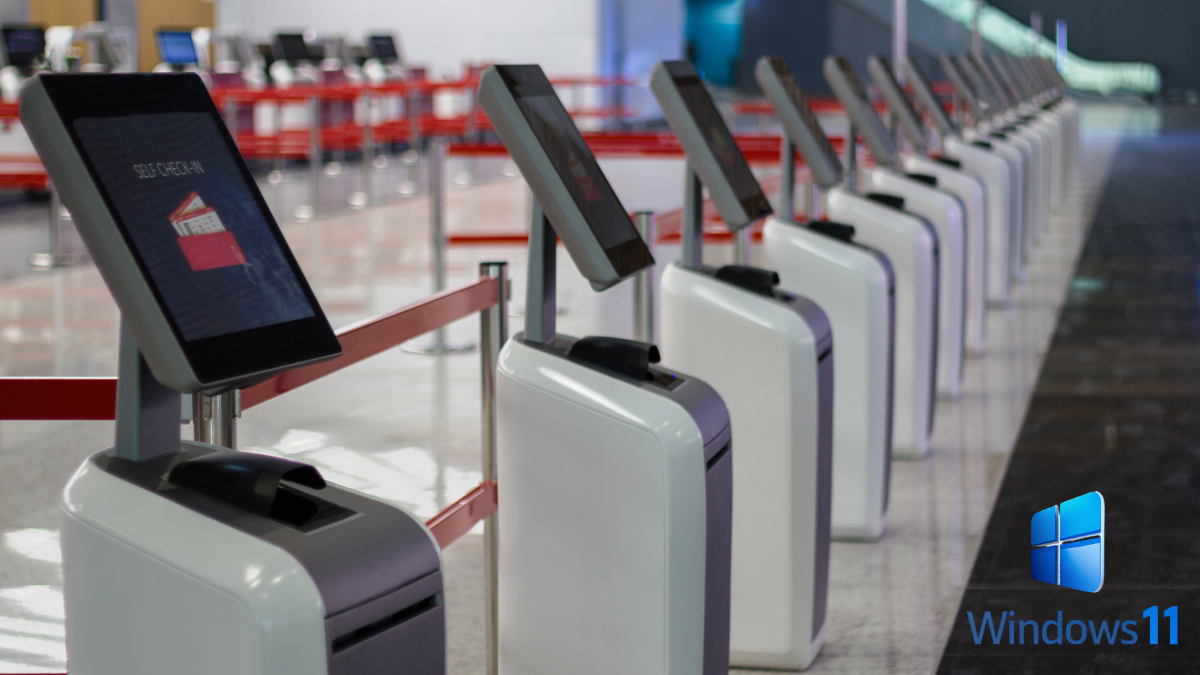
If your environment includes kiosks, digital signage, point-of-sale terminals, industrial operator panels, front-desk check-in stations, or purpose-built healthcare devices, windows 11 iot enterprise ltsc is the edition designed with that reality in mind.
Device-focused features people actually use
- Restricted User Experience (kiosk-style control): helps create a curated interface for shared or dedicated devices, reducing distractions and tampering points.
- Removable packages: lets device builders remove more components in certain scenarios, which can help reduce footprint and tighten a dedicated build.
- Wireless Display (optional): useful for some signage or meeting-room style deployments where projecting to the device is part of the workflow.
Where it fits best
- Retail POS and self-service checkout systems
- Digital signage and information kiosks
- Industrial HMI/operator stations and factory-floor terminals
- Hospitality kiosks and check-in devices
- Healthcare front-desk stations or single-purpose clinical terminals
Key Differences That Actually Matter
On paper, both editions emphasize stability. In practice, the best choice comes down to four questions: how long the device will stay deployed, how fixed the device’s purpose is, how strict your change control needs are, and how “appliance-like” the experience should be.
1) Lifecycle: choose based on how long the hardware stays in service
If your organization refreshes devices on a shorter rhythm, windows 11 enterprise ltsc can be a clean, stable enterprise baseline. If your devices are expected to stay in the field for many years (common in retail infrastructure, factories, and specialized terminals), windows 11 iot enterprise ltsc is usually the more natural fit.
2) Device intent: “special-use enterprise” vs “fixed-function appliance”
Enterprise LTSC is often selected for controlled enterprise scenarios—special workstations that must remain predictable. IoT Enterprise LTSC is selected for fixed-function devices where consistency is the product: users shouldn’t notice the OS changing, and administrators want minimal surprises.
3) Lockdown and user experience control
Both editions can be locked down with enterprise policies and device management. IoT Enterprise LTSC tends to align especially well with kiosk-style deployments and curated interfaces, where you want to reduce tampering points and keep the workflow focused on the device’s dedicated purpose.
4) Long-term app and driver planning
Stability is a benefit, but it also means you should validate your most important apps, drivers, and peripherals early. The right strategy is to treat LTSC devices like “validated platforms”: test once, deploy confidently, then keep changes deliberate.
Pros and Cons (Both Editions)
Windows 11 Enterprise LTSC — Pros
- Stable enterprise baseline for special-use devices and controlled environments.
- Predictable administration with fewer disruptive feature shifts.
- Strong fit for validation-heavy workflows where change control is strict.
Windows 11 Enterprise LTSC — Cons
- Not ideal as a “default OS for everyone” if users want constant feature evolution.
- Shorter planning horizon than IoT LTSC for very long-lived devices.
- Requires careful app validation like any LTSC baseline, especially for modern stacks.
Windows 11 IoT Enterprise LTSC — Pros
- Built for fixed-function devices (kiosk, POS, signage, industrial, healthcare).
- Appliance-style stability where the goal is “keep it the same for years.”
- Great alignment with restricted experiences and curated device workflows.
Windows 11 IoT Enterprise LTSC — Cons
- Not intended for general office PCs where users expect frequent new features.
- Deployment and licensing can be more specialized depending on your sourcing and environment.
- Best treated like a device platform (plan refreshes and validations like you would for hardware appliances).
Which One Should You Choose?
If you choose based on device reality, the answer becomes much clearer. Use the edition that matches how the device is used, how long it stays deployed, and how strict your change-control process is.
Choose Windows 11 Enterprise LTSC if you:
- Deploy special-purpose enterprise PCs that need a stable baseline
- Operate in environments with strict validation and controlled change windows
- Prefer a predictable enterprise foundation without constant feature shifts
Choose Windows 11 IoT Enterprise LTSC if you:
- Deploy fixed-function devices (kiosk, POS, signage, industrial terminals)
- Need a “set it and keep it steady” OS mindset for long device lifecycles
- Want a curated experience that reduces distractions and tampering opportunities
Windows 11 Enterprise LTSC Product Key vs Windows 11 IoT Enterprise LTSC Product Key
After you’ve chosen the correct edition, activation and compliance come down to matching your license to the right product. If you’re specifically looking for a windows 11 enterprise product key or a windows 11 iot enterprise product key, here are the two product links you provided.
Practical note: for managed commercial environments, always make sure your licensing method aligns with your organization’s compliance needs and device deployment model. If you operate regulated workflows, document the edition choice and activation approach as part of your baseline.
FAQ
Is Windows 11 Enterprise LTSC a good choice for every employee laptop?
Usually not. LTSC is best for special-purpose devices that benefit from a long, stable baseline. Most knowledge-worker PCs are better served by mainstream servicing channels designed to deliver regular feature improvements and broader “everyday” app expectations.
Is Windows 11 IoT Enterprise LTSC only for “IoT sensors”?
No. In real deployments, IoT Enterprise LTSC often powers kiosks, POS terminals, digital signage, industrial panels, and other fixed-purpose business devices that don’t look like classic IoT sensors at all.
Which edition is better for kiosks and POS terminals?
In most kiosk/POS deployments, windows 11 iot enterprise ltsc is the more natural fit because it’s designed for fixed-function devices and long lifecycles, plus it aligns well with restricted experiences and curated workflows.
Can both editions run typical Windows apps?
Both are built on Windows 11 foundations, so compatibility is typically strong. Still, always validate your critical applications, drivers, peripherals, and management tooling against your chosen baseline before rolling out at scale.
Final Takeaway
If you need a stable enterprise baseline for special-use devices, windows 11 enterprise ltsc is a solid option. If you manage fixed-function devices that must remain consistent for many years, windows 11 iot enterprise ltsc is often the better match for the “appliance” deployment mindset.
Once you’ve picked the correct edition, choose the correct activation path—whether you need a windows 11 enterprise product key or a windows 11 iot enterprise product key—and document your baseline so future maintenance stays predictable.