Office 365 Accounts
Browse Microsoft Office 365 Accounts for 1 year access on up to 5 devices, including A1+, A3, and E3 account options. Suitable for Word, Excel, PowerPoint, Outlook, documents, spreadsheets, presentations, email, and multi-device productivity across PC, Mac, Android, iPhone, and tablets.
Showing all 3 results
Showing all 3 results
Microsoft Office 365 Accounts for Multi-Device Productivity
The Office 365 Accounts category is designed for users who need Microsoft Office access across multiple devices for documents, spreadsheets, presentations, email, and everyday productivity. Unlike one-time desktop product keys, these products are account-based options with 1 year access and support for up to 5 main devices, depending on the product details.
This category includes Office 365 A1+, A3, and E3 account options. Each product provides a pre-generated account with login details, and the password can be updated after first login. Since account name and email details are pre-generated, they cannot be changed. Always review the product information carefully before ordering.
Common Office 365 Account Use Cases
- Working with Word documents, reports, assignments, letters, and formatted files
- Managing Excel spreadsheets, formulas, budgets, tables, charts, and data lists
- Creating PowerPoint slides, class presentations, business decks, and visual materials
- Using Outlook for email, calendars, contacts, and communication workflows
- Accessing Office apps across PC, Mac, Android, iPhone, and tablet devices
- Supporting flexible productivity for study, home office, remote work, and daily tasks
Choosing the Right Office 365 Account
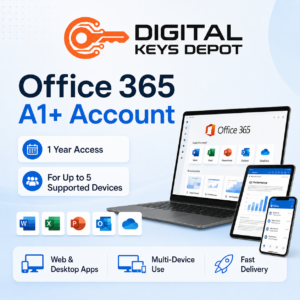
The Microsoft Office 365 A1+ Account is suitable for users who need a cost-friendly account option for common Office workflows across multiple devices. It can be used for document editing, spreadsheets, presentations, and general productivity tasks.
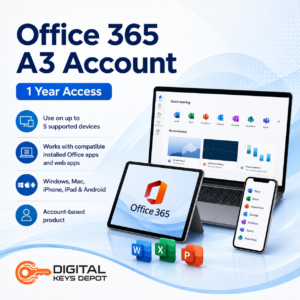
The Microsoft Office 365 A3 Account is a better fit for users who want a higher-tier account option for productivity across PC, Mac, mobile, and tablet devices. It is useful for users who regularly work with Word, Excel, PowerPoint, Outlook, and related Office apps.
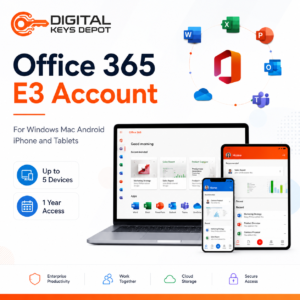
The Microsoft Office 365 E3 Account is positioned for users who want an enterprise-style Office 365 account option for multi-device productivity. It is suitable for users who need Office app access for documents, spreadsheets, presentations, email, and work-related tasks across different device types.
Important Account and Storage Notes
Office 365 Accounts in this category are different from traditional Office product keys. You will receive a pre-generated username and password, and the account may ask for a password update when logging in. The account name and email are already created and cannot be changed.
OneDrive is not recommended for important data with these account products. Even if OneDrive access appears available, storage access may be limited, changed, or unavailable depending on account conditions. For important files, use your own backup method and avoid relying on included cloud storage.
Compatibility Information
These Office 365 account products are intended for multi-device use across supported platforms such as PC, Mac, Android, iPhone, and tablets. Compatibility can depend on the Office app version, device type, operating system, sign-in status, and Microsoft account access requirements.
If you prefer one-time desktop software instead of account-based access, browse the main Office Product Keys category. You can also compare Office 2024 Product Keys, Office 2021 Product Keys, or Office 2019 Product Keys if you need a desktop product key style option.
Related Software Categories
Office 365 Accounts are often used together with compatible operating systems and productivity tools. If you need an operating system option, visit Windows Product Keys. For scheduling, project timelines, and planning workflows, browse Project Product Keys. For diagrams, flowcharts, and process mapping, explore Visio Product Keys.
Support and Product Information
If you are unsure whether an Office 365 account or a desktop Office product key is better for your setup, review the FAQ page or contact support before ordering. You can also check the delivery information page to understand how purchased account details are accessed through your store dashboard.