
🧠 Introduction
Microsoft Office LTSC 2024 is becoming increasingly popular among users who want a one-time purchase version of Office without ongoing subscription fees. However, many people are confused about what LTSC actually means and whether it is suitable for personal or business use.
In this guide, we will explain everything you need to know about Office LTSC 2024, including its features, advantages, limitations, and how it compares to Microsoft 365.
❓ What Does LTSC Mean?
LTSC stands for Long-Term Servicing Channel.
This is a special release model from Microsoft designed for environments that require:
- long-term stability
- minimal changes
- predictable performance
Unlike regular Office versions, LTSC does not receive frequent feature updates. Instead, it only receives:
- security updates
- bug fixes
This makes it ideal for systems where stability is more important than having the latest features.
⚙️ Key Features of Office LTSC 2024
Here are the main features you should know:
✔ One-Time Purchase
You pay once and can use the software permanently.
✔ No Subscription Required
Unlike Microsoft 365, there are no monthly or yearly fees.
✔ Works Offline
After activation, you can use Office without an internet connection.
✔ Stable Performance
No forced updates that might disrupt your workflow.
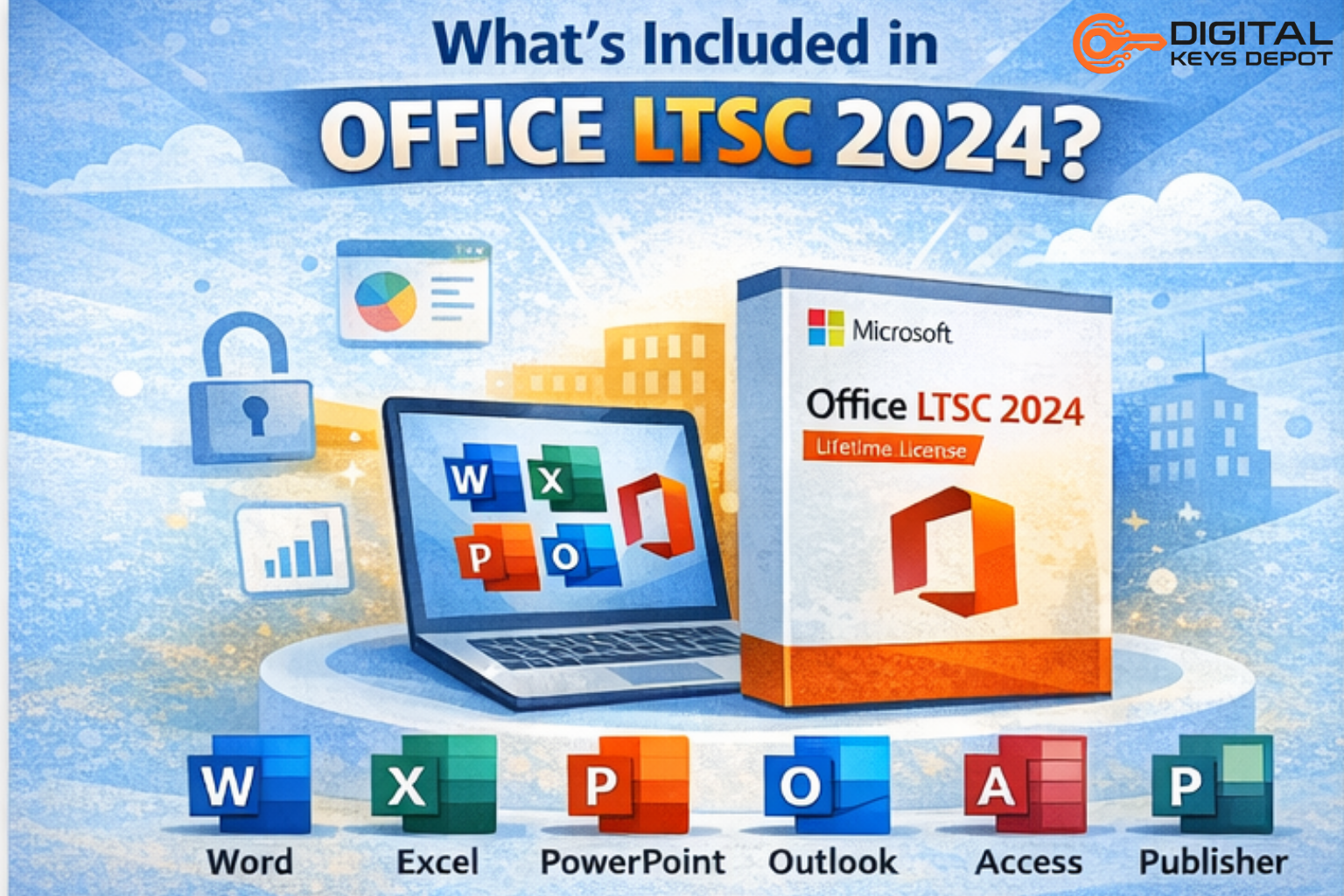
✔ Full Office Applications
Includes:
- Word
- Excel
- PowerPoint
- Outlook
- Access
- Publisher
⚖️ Office LTSC 2024 vs Microsoft 365
Understanding the difference is very important before buying.
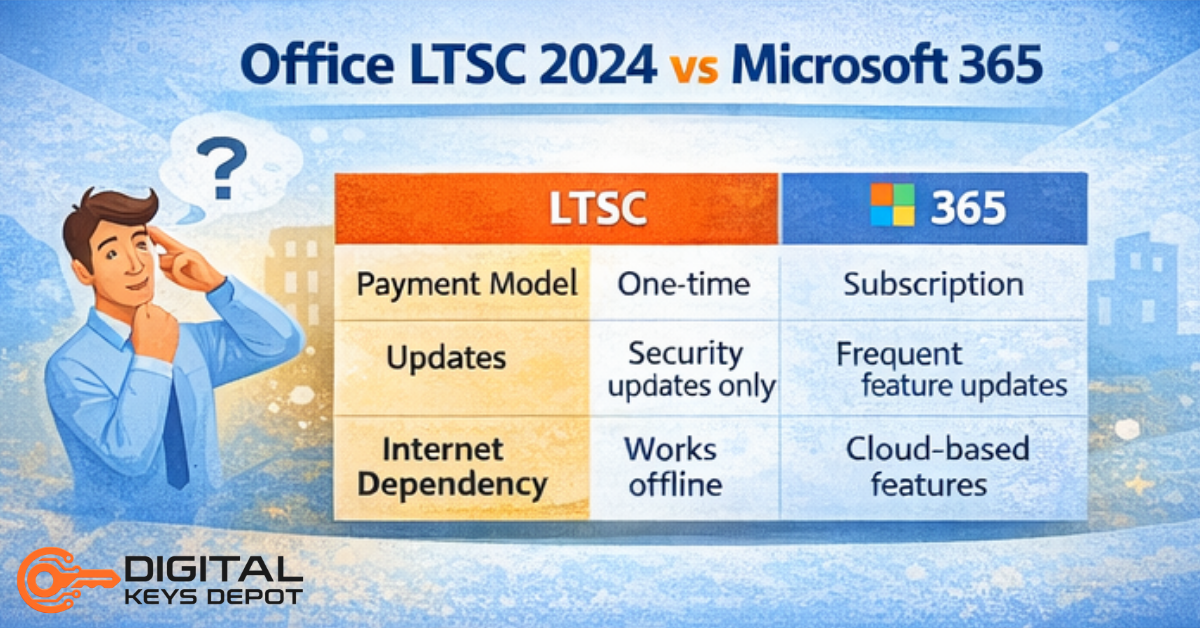
Payment Model
- LTSC: one-time payment
- Microsoft 365: subscription-based
Updates
- LTSC: security updates only
- 365: continuous feature updates
Internet Dependency
- LTSC: works offline
- 365: cloud-based features require internet
Best Use Case
- LTSC: stability and long-term use
- 365: collaboration and latest features
For more detailed comparison, you can read Office LTSC 2024 vs Microsoft 365: Which One Is Better? Full Comparison Guide.
👨💻 Who Should Use Office LTSC 2024?
This version is best for:
✔ Businesses
Companies that need stable systems with minimal disruption.
✔ IT Professionals
For controlled environments where updates must be predictable.
✔ Offline Users
Users who don’t rely on cloud features.
✔ Budget-Conscious Buyers
People who prefer a one-time purchase instead of ongoing payments.
⚠️ Important Limitations
Before choosing LTSC, you should understand its limitations:
- No new feature updates
- Limited cloud integration
- Not ideal for teams that rely on real-time collaboration
- Activation method may differ from retail versions
🛠️ How to Install Office LTSC 2024
If you’re ready to set up Microsoft Office LTSC Professional Plus 2024 on your PC, it’s important to follow the correct installation steps to avoid activation or compatibility issues later.
We’ve already prepared a complete step-by-step tutorial that shows you how to download, install, and activate it properly. You can read the full guide here: How to Install Microsoft Office LTSC Pro Plus 2024.
🔐 How Activation Works
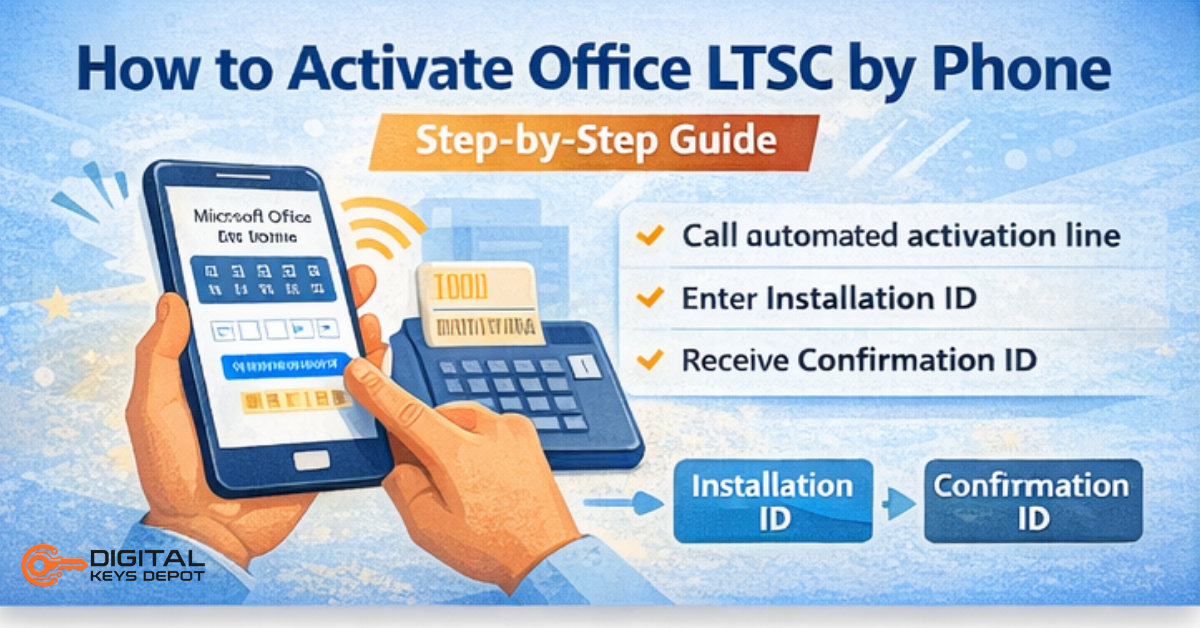
Office LTSC versions may use a different activation method compared to standard Office versions.
In some cases, activation is completed through:
- automated phone system
- manual confirmation process
This is a normal part of how certain licensing methods work.
For full instructions on how to activate Office LTSC 2024 by phone, read this article:
👉How to Activate Office, Visio, Project, Access Using Phone Activation Key
💡 Pros and Cons
Advantages
✔ No recurring fees
✔ Stable environment
✔ Offline capability
Disadvantages
✖ No feature updates
✖ Limited cloud functionality
✖ Slightly more complex activation
🔗 Where to Get Office LTSC 2024
If you’re looking for a ready-to-use version with activation support, you can check here:
👉 Microsoft Office LTSC Professional Plus 2024 License Key
📌 Final Verdict
Microsoft Office LTSC 2024 is a powerful option for users who prioritize stability and long-term usage over new features.
It may not be suitable for everyone, but for the right use case, it offers excellent value as a one-time purchase Office solution.