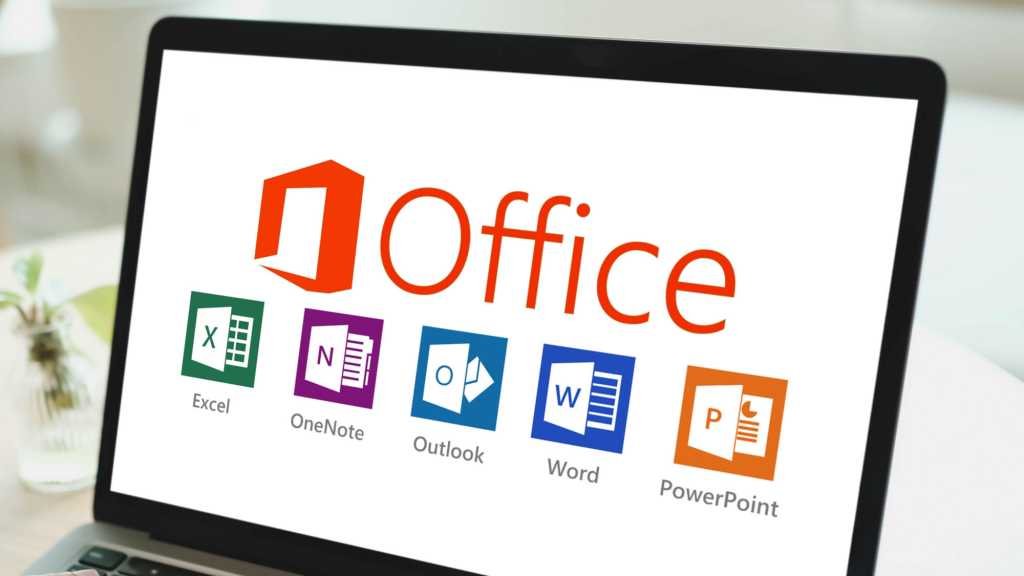
Microsoft Office has evolved significantly over the years, with each version introducing new features, interface changes, and support options. Whether you’re a home user, student, or business professional, understanding the differences between Office 2010, 2013, 2016, 2019, 2021, and Microsoft 365 can help you choose the right productivity suite for your needs.
Office 2010: The Modern Ribbon Debut
Office 2010 introduced an improved Ribbon interface, making navigation more intuitive. Core apps included Word, Excel, PowerPoint, Outlook, and OneNote. Notable features were the addition of web apps, SmartArt graphics, and enhanced video formatting in PowerPoint. Basic formulas in Word and Excel made document creation easier. However, support for Office 2010 ended in October 2020, so it no longer receives updates or security patches.
Office 2013: Cloud Integration and Metro UI
With Office 2013, Microsoft adopted the Metro UI to match Windows 8’s look and feel. This version expanded the app lineup to include Access and Publisher. Key improvements included integrated OneDrive cloud storage, PDF reading in Word, Presenter View in PowerPoint, Flash Fill in Excel, and support for online videos. Support for Office 2013 ended in April 2023.
Office 2016: Collaboration and Windows 10 Synergy
Office 2016 was designed to work seamlessly with Windows 10, featuring a unified interface. It introduced real-time collaboration, the “Tell Me” search tool, Researcher in Word, and new chart types like Waterfall and Funnel in Excel. Ink Equation made it easier to insert math formulas. Office 2016 is supported until October 2025.
Office 2019: Enhanced Productivity and Visuals
Office 2019 built on the foundation of 2016, offering a more optimized experience. It added features like Morph and Zoom transitions in PowerPoint, new Excel functions (TEXTJOIN, CONCAT, IFS), advanced LaTeX support in Word, and the ability to use SVG and 3D models. Mainstream support ended in October 2023, but extended support continues until October 2025.
Office 2021: Modern Features for Today’s Work
Office 2021 is a lighter update from 2019, but it brings valuable enhancements. Users benefit from Dark Mode, XLOOKUP and LET functions in Excel, Dynamic Arrays, improved SVG support, better inking, and enhanced math equation tools. Extended support for Office 2021 runs until 2026.
Office 2024: The Next Step (Retail/LTSC)
Office 2024 continues the evolution with updated icons and a familiar interface. It introduces Multiple Pages View in Word, smarter PowerPoint Designer, enhanced Excel charts and PivotTables, improved touch support, and better accessibility features. Support is expected to last until 2029.
Microsoft 365: Always Up to Date
Microsoft 365 is a subscription-based service that always provides the latest features and updates. It includes all core Office apps plus Teams, and offers advanced tools like Copilot AI, real-time multi-user collaboration, Presenter Coach, Data Types in Excel, translation, dictation, and Loop components. Microsoft 365 is deeply integrated with OneDrive and SharePoint for seamless cloud collaboration and receives ongoing support and new features as they are released
Traditional Office vs. Microsoft 365: What’s the Difference?
- Licensing Model:
Traditional Office (2010–2024) is a one-time purchase, while Microsoft 365 is a monthly or yearly subscription. - Updates:
Traditional Office receives only security patches; Microsoft 365 gets continuous feature and security updates. - Cloud Integration:
Microsoft 365 offers deep integration with OneDrive and SharePoint, while traditional Office has limited cloud features. - Collaboration:
Real-time multi-user editing is a hallmark of Microsoft 365, while traditional Office supports only basic collaboration (mainly from 2016 onward). - AI & Smart Tools:
Microsoft 365 includes advanced AI features like Copilot, translation, voice typing, and automatic content generation.
Which Version Should You Choose?
If you prefer a one-time purchase and don’t need the latest features, a traditional Office version like 2019, 2021, or 2024 may be ideal. For those who want ongoing updates, advanced collaboration, and AI-powered tools, Microsoft 365 is the best choice. Consider your workflow, budget, and need for cloud services when making your decision.
The table below compares key features to help you choose the right one:
| Version | Interface | Main Apps | Key Features | Support |
|---|---|---|---|---|
| Office 2010 | Improved Ribbon | Word, Excel, PowerPoint, Outlook, OneNote | Web Apps, SmartArt, video formatting in PowerPoint, basic formulas in Word/Excel | Ended in October 2020 |
| Office 2013 | Metro UI (Windows 8) | Word, Excel, PowerPoint, Outlook, OneNote, Access, Publisher | Integrated OneDrive, PDF reading in Word, Presenter View in PowerPoint, Flash Fill (Excel), online video support | Ended in April 2023 |
| Office 2016 | Unified with Windows 10 | Word, Excel, PowerPoint, Outlook, OneNote, Access, Publisher | Tell Me, real-time collaboration, Researcher in Word, Waterfall & Funnel charts in Excel, Ink Equation | Supported until October 2025 |
| Office 2019 | Similar to 2016, more optimized | Word, Excel, PowerPoint, Outlook, OneNote (Win10), Access, Publisher | Morph, Zoom (PowerPoint), TEXTJOIN, CONCAT, IFS, advanced LATEX in Word, SVG & 3D models | Mainstream support until 10/2023, extended to 10/2025 |
| Office 2021 (Retail) | Light update from 2019 | Word, Excel, PowerPoint, Outlook, Access, Publisher | Dark Mode, XLOOKUP, LET, Dynamic Arrays, enhanced SVG, improved inking, better Math Equation | Extended support until 2026 |
| Office 2024 (Retail/LTSC) | Similar to 2021, new icons | Word, Excel, PowerPoint, Outlook, Access, Publisher | Multiple Pages View (Word), enhanced Excel Charts & PivotTable, smarter PowerPoint Designer, touch support, improved Accessibility | Expected support until 2029 |
| Microsoft 365 | Always up to date | Word, Excel, PowerPoint, Outlook, OneNote, Access, Publisher, Teams | Copilot AI, advanced PowerPoint Designer, Presenter Coach, Data Types & Linked Data (Excel), Translation, Dictation, Math Assistant, Loop components, real-time multi-user collaboration | Ongoing support |
Choosing the right Office version ensures you get the tools and support you need for years to come.