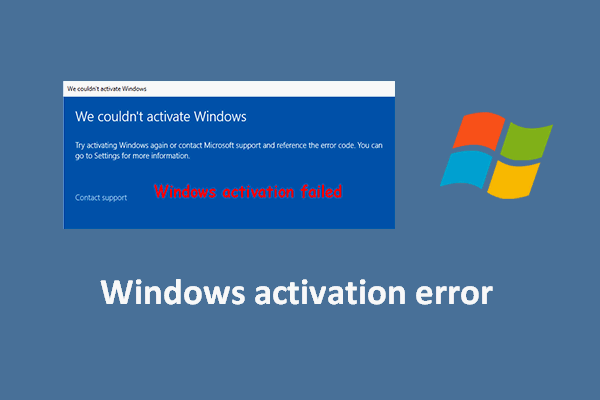
Activating Windows should be a straightforward process, but sometimes you might encounter error codes that prevent successful activation. Understanding these errors and knowing how to resolve them can save you time and frustration. Here’s a guide to some of the most common Windows activation error codes and how to fix them.
Errors Caused by the Product Key
- Error code “0x803fa067, 0xC004C060, 0xC004C003“: These errors usually indicate that the product key you entered is invalid or has been blocked by Microsoft. If you see one of these codes, the best solution is to contact support and request a new key or verify your purchase.
- Error code “0xC004C008“: This means your retail key has reached its activation limit. Retail keys are designed for use on a limited number of devices, and if you’ve reinstalled Windows or changed hardware too many times, you may hit this limit. If you encounter this, try activating by phone using the Get CID tool, or contact support for a new key
- Error code “0xC004C020” or “Call MS Support (0xC004C020)“: These codes indicate that a volume license key has reached its activation limit. Volume keys are typically used by organizations and have a set number of activations. If you encounter this, try activating by phone using the Get CID tool, or contact support for a new key.
Errors Caused by the Device or System
- Error code “0x80072EE2“: This is a network timeout error. It usually means your computer couldn’t connect to Microsoft’s activation servers. Wait about 10 minutes and try again, making sure your internet connection is stable.
- Error code “0xc004f050“: This error often appears if you’re trying to activate a version of Windows that doesn’t match your product key, such as using a Windows Pro key on a Home edition. Double-check your Windows version and make sure it matches your key.
- Error code “0xc0ea000a“: This is a more generic error with an unknown cause. To resolve it, open PowerShell as Administrator and enter the following commands line by line:
slmgr -ipk "Your product key here"
slmgr -ato

For example:
slmgr -ipk XXXXX-ABCDE-AB89X-1X34GF-5X7YA
slmgr -ato
Understanding Key Types
- Retail: These keys are for one device but can be transferred if you change computers. They can be activated online or by phone.
- OEM: These are tied to the first device they’re activated on and cannot be transferred to another device.
- Volume (MAK/KMS): Used by businesses, these keys have a limited number of activations and may require a CID (Confirmation ID) for phone activation.
Support Tools and Tips
- Get CID tool: These tools help you retrieve a Confirmation ID for phone activation if you’re having trouble activating online.
- Download the correct Windows version: Always make sure you’re installing the version of Windows that matches your product key to avoid compatibility errors.
Conclusion
Encountering an activation error code can be frustrating, but most issues can be resolved by understanding the cause and following the right steps. Whether the problem is with your product key or your device, the solutions above should help you get Windows activated and running smoothly. If you continue to have trouble, don’t hesitate to reach out to our support for further assistance.