
Microsoft Windows Server 2008 R2 Remote Desktop Services Device CAL for 20 Devices
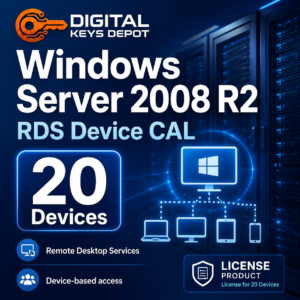
The Windows Server 2008 R2 Remote Desktop Services Device CAL – 20 Devices is designed for organizations that need device-based access licensing for Remote Desktop Services in a Windows Server 2008 R2 environment.
This product is intended for server setups where access is managed by device instead of by individual user. It is a practical choice for shared workstations, reception computers, warehouse terminals, school labs, service counters, and other fixed devices used by multiple people during daily operations.
This is a Remote Desktop Services Device CAL. It is not a Windows Server operating system product key and does not activate the Windows Server installation itself. It adds RDS Device CAL access to an existing Windows Server 2008 R2 Remote Desktop Services environment.
What’s Included
- 1x Windows Server 2008 R2 Remote Desktop Services Device CAL pack
- Access licensing for up to 20 devices
- Device-based CAL type
- For Remote Desktop Services access licensing
- Product access through your Digital Keys Depot account dashboard after order processing
- Friendly support for product access and order-related questions
What This RDS Device CAL Is Used For
Remote Desktop Services helps client devices connect to server-hosted desktop sessions, business applications, administrative tools, or internal systems. This Device CAL pack is made for environments where the physical device is the main access point.
For example, a front-desk workstation may be used by different employees across several shifts, but the workstation itself remains the same. In that type of workflow, a Device CAL can be easier to manage than assigning access to every individual user.
Common Use Cases
- Shared office computers used by multiple staff members
- Reception desks, help desks, and customer service counters
- Computer labs with fixed workstation access
- Warehouse, logistics, and inventory terminals
- Retail back-office computers connecting to server-hosted tools
- Legacy business environments running Windows Server 2008 R2 RDS
- Device-based access setups where endpoints are easier to track than users
Device CAL vs User CAL
A Device CAL is assigned to a specific computer, terminal, or endpoint. It is usually the better fit when several people use the same device.
A User CAL is assigned to a person instead of a device. That option is usually more suitable when one user connects from multiple computers or locations.
Before ordering, confirm that your Remote Desktop Services licensing mode is planned for Per Device access. If your setup requires user-based access instead, compare this item with the Windows Server 2008 R2 Remote Desktop Services User CAL – 20 Users.
Workflow Fit for Business and Server Access
This RDS Device CAL pack supports workflows where multiple users rely on shared endpoints to access centralized resources. It can be useful for businesses that still maintain Windows Server 2008 R2 for internal applications, administrative sessions, remote desktops, or legacy operational systems.
In many older server environments, fixed devices are tied to specific roles or locations. A warehouse terminal may handle inventory tasks, a reception device may connect to scheduling tools, and a back-office computer may access internal business software. Device CALs make sense when the endpoint is more consistent than the person using it.
This product is especially relevant for organizations that want to keep a device-based access model for a controlled server environment rather than assigning access individually to every staff member.
Activation and Setup Information
This product adds Remote Desktop Services Device CAL access to a compatible Windows Server 2008 R2 environment. It does not replace the Windows Server operating system key and cannot be used to activate Windows Server itself.
Your environment should already have:
- Windows Server 2008 R2 installed and activated
- Remote Desktop Services configured
- Remote Desktop Licensing role available
- Per Device licensing mode selected where required
- Administrator access to manage RDS licensing
How to Install RDS Device CALs on Windows Server 2008 R2
- Open Remote Desktop Licensing Manager.
Go to Start > Administrative Tools > Remote Desktop Services > Remote Desktop Licensing Manager. - Check the license server status.
Select your license server in the console and make sure it is already activated before installing the CAL pack. - Start the Install Licenses wizard.
Right-click the activated license server and choose Install Licenses. Follow the wizard and enter the provided Remote Desktop Services Device CAL information when requested. - Confirm the CAL type.
Make sure the licensing mode matches Per Device. This product is for Device CAL access and is not intended for User CAL licensing. - Verify the installed quantity.
After installation, review Remote Desktop Licensing Manager to confirm that the Windows Server 2008 R2 RDS Device CALs have been added and that the available quantity reflects the 20-device pack.
System Requirements
- Windows Server 2008 R2 environment
- Existing activated Windows Server installation
- Remote Desktop Services role configured
- Remote Desktop Licensing role installed or available
- Administrator access for CAL installation
- Compatible client devices connecting through Remote Desktop Services
Compatibility and Purchase Notice
This product is specifically for Windows Server 2008 R2 Remote Desktop Services Device CALs. It should be selected only when your server environment needs device-based RDS access licensing.
Please check your Windows Server version, CAL type, Remote Desktop Services configuration, and required device count before ordering. For user-based access, the Windows Server 2008 R2 RDS User CAL – 20 Users may be a better match.
After order processing, product access is handled through your Digital Keys Depot account dashboard. You can review order status notifications by email, then visit My Account > View Orders to access purchased products. For help choosing between Device CAL, User CAL, or a server operating system key, you can reach the support team through the contact page.
Frequently Asked Questions
Is this a Windows Server 2008 R2 product key?
No. This product is for Remote Desktop Services Device CAL access. It is not used to activate the Windows Server operating system.
What does 20 Device CAL mean?
It means the CAL pack is intended for up to 20 specific devices that connect to Remote Desktop Services.
Who should choose Device CAL instead of User CAL?
Device CAL is usually suitable when multiple people use the same shared computer or fixed terminal. User CAL is usually better when one person connects from several different devices.
Can this be used for Windows Server 2012, 2016, 2019, or 2022?
This product is intended for Windows Server 2008 R2 Remote Desktop Services. For newer server environments, choose the matching RDS CAL version from the Windows Server product keys category.
Do I need Remote Desktop Licensing Manager?
Yes. RDS CALs are managed through Remote Desktop Licensing Manager in the Windows Server environment.
Can one Device CAL be shared across multiple computers?
No. A Device CAL is assigned to a device. If you need access for multiple devices, make sure your CAL quantity matches your environment.
Related Products and Categories
If your environment needs user-based Remote Desktop Services access, see the Windows Server 2008 R2 Remote Desktop Services User CAL – 20 Users.
If you need a Windows Server operating system product key instead of RDS access licensing, compare Windows Server 2008 R2 Standard, Windows Server 2008 R2 Enterprise, and Windows Server 2008 R2 Datacenter.
For more server editions and Remote Desktop Services options, browse the Windows Server product keys category.
Reviews
There are no reviews yet.