
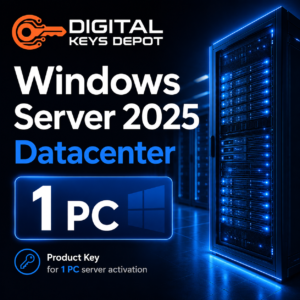
Microsoft Windows Server 2025 Datacenter Product Key for 1 PC
Microsoft Windows Server 2025 Datacenter is a server operating system built for advanced infrastructure, virtualization-heavy deployments, private cloud planning, software-defined storage, software-defined networking, failover clustering, and enterprise data center workloads. This product includes one Windows Server 2025 Datacenter product key for activating one compatible PC or server installation.
This edition is designed for environments that need more than general file sharing or basic domain services. It is suitable for Hyper-V hosts, clustered infrastructure, high-density virtual machine planning, internal application platforms, database server foundations, and modern server environments that require scalability, security-focused administration, and long-term infrastructure planning.
If your server only needs general roles such as Active Directory, DNS, DHCP, file sharing, IIS, or moderate virtualization, you may also compare this product with Windows Server 2025 Standard Product Key. For a broader comparison, visit the Windows Server product keys category.
What’s Included
- 1x Windows Server 2025 Datacenter product key
- Activation for 1 PC/server installation
- Can be used again on the same PC/server after reinstallation
- Compatible with Windows Server 2025 Datacenter Full Edition
- Support assistance for product key and activation-related questions
- 7-day one-to-one replacement warranty for eligible activation issues
Common Use Cases
- Hyper-V virtualization hosts: build and manage multiple virtual machines from a dedicated server platform.
- Private cloud infrastructure: organize internal server workloads in a more scalable, cloud-style environment.
- Failover clustering: prepare server environments for availability-focused planning and critical workloads.
- Software-defined storage: support storage-focused architecture for advanced infrastructure deployments.
- Software-defined networking: manage virtualized network layers, segmentation, and infrastructure connectivity.
- Enterprise application hosting: run internal applications, web services, database platforms, and server-based tools.
- Advanced testing and staging: create realistic infrastructure labs for migration, training, development, and validation.
Built for Data Center and Virtualization Workflows
Windows Server 2025 Datacenter is intended for environments where the server is expected to handle more complex infrastructure responsibilities. It is a strong fit when multiple workloads need to be separated into virtual machines, managed through centralized administration, protected through backup planning, and prepared for future scaling.
For virtualization workflows, Datacenter gives administrators a stronger platform for organizing server roles. A business can separate domain services, application servers, database-related workloads, file services, and testing environments into different virtual machines instead of placing every role directly on one operating system instance.
This edition is also relevant for infrastructure projects that involve software-defined storage, software-defined networking, clustering, and larger server designs. When performance, availability, role separation, and long-term infrastructure flexibility are part of the plan, Datacenter is usually the better match compared with Standard.
Windows Server 2025 Datacenter vs Standard
Windows Server 2025 Standard is commonly selected for general business infrastructure, file services, Active Directory, DNS, DHCP, IIS, and moderate virtualization. It is practical for smaller or mid-sized environments that need a modern server platform without advanced data center features.
Windows Server 2025 Datacenter is better suited for heavier virtualization, private cloud design, software-defined infrastructure, failover clustering, and server environments that may need to host many workloads. If your server will become a high-density Hyper-V host or part of a larger infrastructure design, Datacenter is the stronger option.
If you are comparing server generations, you may also review Windows Server 2022 Datacenter Product Key or Windows Server 2019 Datacenter Product Key for older deployment planning.
Activation Information
This listing provides one product key for Windows Server 2025 Datacenter on one PC/server installation. The key can be used again on the same PC/server after reinstalling the matching Windows Server 2025 Datacenter edition.
After your order has been processed, your product details can be accessed through your Digital Keys Depot account. You will receive order status updates by email, then you can log in and go to My Account > View Orders to view your purchased product. For more information about product access, please review the delivery information page.
If you are unsure whether Windows Server 2025 Datacenter is the correct edition for your server, please contact us before placing an order. This helps you confirm the correct version, edition, and PC count for your infrastructure plan.
Important: Evaluation Edition Conversion
If your current installation says Windows Server 2025 Datacenter Evaluation, entering a purchased product key directly may not work until the server is converted to the full Datacenter edition. Follow the steps below before activating with your purchased key.
- Open Command Prompt or Windows PowerShell as Administrator.
Right-click the Start button, then select Command Prompt (Admin) or Windows PowerShell (Admin). - Run the Windows Server 2025 Datacenter conversion command using the generic product key (D764K-2NDRG-47T6Q-P8T8W-YP6DF):
dism /online /set-edition:ServerDatacenter /productkey:D764K-2NDRG-47T6Q-P8T8W-YP6DF /accepteula
The generic key in this command is used for edition conversion only. It is not your final activation key. - Restart the server.
Follow the restart prompt and allow Windows Server to complete the edition conversion process. After the restart, the system should be converted to the full Datacenter edition, but it will still need activation. - Enter your purchased product key for activation.
Click Start, type Activation Settings, open it, click Change Product Key, enter your purchased activation key, then click Activate.
System Requirements
- Processor: 1.4 GHz 64-bit processor or faster
- Architecture: x64-compatible processor
- CPU features: NX, DEP, CMPXCHG16b, LAHF/SAHF, PrefetchW, SLAT, SSE4.2, and POPCNT support
- RAM: minimum requirements depend on installation mode; higher memory is recommended for virtualization and production workloads
- Storage: at least 32 GB available disk space for the system partition
- Network: Ethernet adapter capable of at least 1 gigabit per second
- Firmware and security: UEFI, Secure Boot, and TPM may be required for certain security features
- Internet: required for online activation and updates
Actual hardware requirements depend on virtual machine density, storage layout, network traffic, database activity, application load, clustering design, and backup strategy. For Datacenter deployments, production servers should be planned with significantly higher resources than the minimum installation requirement.
Compatibility & Purchase Notice
- This product is for Windows Server 2025 Datacenter.
- It is not for Windows Server 2025 Standard, Windows Server 2022, Windows Server 2019, or desktop editions of Windows.
- It does not include Remote Desktop Services CALs.
- It does not include SQL Server, Microsoft Office, Visual Studio, or other separate applications.
- Please confirm your version, edition, and PC count before ordering.
If your deployment requires Remote Desktop Session Host access for multiple users or devices, Windows Server activation alone is not enough. Depending on your access model, you may also need Windows Server 2025 RDS Device CAL – 50 Devices or Windows Server 2025 RDS User CAL – 50 Users.
If your server will run database workloads, Windows Server provides the operating system layer while SQL Server is a separate product. For database-focused environments, browse the SQL Server product keys category.
Because this is a digital product, please review the product details carefully before purchase. General store questions are available on the FAQ page, and digital product terms can be reviewed on the refund policy page.
Product-Specific FAQ
Is this product key for Windows Server 2025 Datacenter only?
Yes. This product is for Windows Server 2025 Datacenter. It is not intended for Standard, Windows Server 2022, Windows Server 2019, Windows 10, or Windows 11.
Who should choose Windows Server 2025 Datacenter?
This edition is best for advanced server environments, Hyper-V virtualization hosts, private cloud infrastructure, software-defined storage, software-defined networking, failover clustering, and data center workloads.
Can I use this key again after reinstalling?
Yes. The key can be used again on the same PC/server after reinstalling Windows Server 2025 Datacenter.
Does this include Remote Desktop Services CALs?
No. This product activates the Windows Server 2025 Datacenter operating system only. RDS CALs are separate and may be required if multiple users or devices connect through Remote Desktop Services.
Should I choose Datacenter or Standard?
Choose Datacenter for heavier virtualization, software-defined infrastructure, private cloud planning, clustering, and advanced server workloads. Choose Standard for general business infrastructure, file services, domain services, and moderate virtualization needs.
What should I do if my server is on Evaluation Edition?
You should convert the Evaluation installation to the full Datacenter edition first using the DISM command provided above. After the server restarts, enter your purchased product key through Activation Settings.
Does this product include SQL Server?
No. SQL Server is a separate database product. Windows Server 2025 Datacenter provides the operating system foundation, while database software must be selected separately if needed.
Related Products You May Need
If you need a lighter edition for general business infrastructure, compare this product with Windows Server 2025 Standard Product Key. If you are comparing server generations, you may also review Windows Server 2022 Datacenter Product Key or Windows Server 2019 Datacenter Product Key.
For remote desktop deployments, review the correct Windows Server 2025 RDS CAL option before purchasing. For database workloads, plan SQL Server separately from the Windows Server operating system.
You can also browse the full Windows Server product keys category to compare server editions, RDS CALs, and related infrastructure products.
Reviews
There are no reviews yet.