
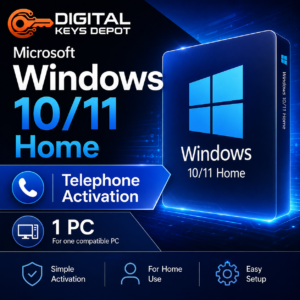
Microsoft Windows 10/11 Home Product Key – Telephone Activation for 1 PC
Microsoft Windows 10/11 Home is designed for everyday personal computing on a compatible desktop or laptop. This edition is suitable for users who need a clean Windows Home setup for browsing, email, documents, online meetings, media playback, light productivity, and general home use.
This product includes one Windows 10/11 Home activation key for one compatible PC using the telephone activation method. It is intended for users who already have Windows Home installed or plan to install the correct Home edition before activation.
What’s Included
- 1x Windows 10/11 Home activation key
- Activation for 1 compatible PC
- Telephone activation method
- One-time activation
- Basic activation guidance
- Friendly customer support
- 7-day one-to-one replacement warranty
Common Use Cases
- Setting up a personal Windows Home desktop or laptop
- Activating Windows after a clean installation
- Home productivity, schoolwork, browsing, email, and media use
- Basic document editing, PDF viewing, printing, and file management
- Everyday use with Microsoft Office apps, web apps, and personal software
- Preparing a compatible PC for family, study, or personal work routines
Home Edition Workflow
Windows Home is built around simple, familiar, everyday workflows. It gives users access to the Windows desktop environment, Start menu, device settings, Microsoft Store apps, browser support, file management, security tools, display settings, printers, and common peripheral support.
For personal use, Home edition is usually enough for browsing, online classes, entertainment, document work, and lightweight productivity. Users who need business features such as domain join, BitLocker management, Remote Desktop host capability, and advanced administrative controls should compare this product with Windows 10/11 Pro Telephone Activation.
Windows 10 Home vs Windows 11 Home
This product is for Windows Home edition. Windows 10 Home is often chosen for older or existing devices that still run well with Windows 10. Windows 11 Home is better suited for newer compatible hardware that supports Windows 11 requirements such as TPM, Secure Boot, supported processor generation, and updated system firmware.
Before purchasing, check which version and edition are installed on your device. A Home key will not activate Pro, Education, Enterprise, Server, or N editions. If you prefer a different activation type, you can also compare with Windows 10/11 Home OEM Product Key.
Activation Information
This product uses the telephone activation method. It is intended for one-time activation on one compatible PC. We do not guarantee activation again after formatting, reinstalling, replacing major hardware, or changing the device configuration.
To activate Windows using the telephone method:
- Go to Settings > System > Activation.
- Enter your product key. If an error code appears, continue with the next steps.
- Press Windows Key + R to open the Run dialog box.
- Type slui.exe 4 and press Enter.
- Select your country or region from the dropdown list and click Next.
- Call the phone number shown on your screen and follow the voice prompts.
- Provide the Installation ID displayed in the activation window.
- Receive the Confirmation ID and enter it into the fields provided.
- Click Activate to complete the process.
You may also use Digital Keys Depot Get CID to obtain the Confirmation ID automatically by entering the Installation ID.
System Requirements
- Compatible device for Windows 10 Home or Windows 11 Home
- Windows Home edition installed before activation
- Internet connection may be needed for setup, updates, and account features
- For Windows 11, check TPM, Secure Boot, CPU, RAM, and storage requirements first
- Telephone activation screen must be available through slui.exe 4
Compatibility & Purchase Notice
Please confirm your installed Windows edition before ordering. This product is for Windows 10/11 Home only and is intended for one compatible PC. It will not activate Windows Pro, Education, Enterprise, Server, or N editions.
After your order is processed, order details can be viewed from your web store dashboard. You will receive order status notifications by email, then you can visit My Account >> View Orders to access your purchase information. For more details about how digital orders are handled, please review the delivery information page.
If you are unsure whether Home edition, Pro edition, OEM, Retail Online, or Telephone Activation is the best fit for your device, please contact us before ordering through the contact us page. You can also check common store questions on the FAQ page.
Product-Specific FAQs
Is this product for Windows Home only?
Yes. This key is intended for Windows 10 Home or Windows 11 Home edition only. It is not suitable for Pro, Education, Enterprise, Server, or N editions.
Does this use online activation?
No. This product uses the telephone activation method. You will use the Installation ID shown by Windows to obtain a Confirmation ID.
Can I use this on more than one PC?
No. This product is intended for one compatible PC only. For multiple devices, choose a product with the correct PC count before ordering.
Can I activate again after formatting my computer?
This product is offered as one-time activation. Activation after formatting, reinstalling, or major hardware changes is not guaranteed.
Should I choose Home or Pro?
Choose Home for personal and everyday use. Choose Pro if you need business features such as domain join, Remote Desktop host, BitLocker management, or advanced administrative tools.
Related Windows Options
If you need business-oriented features, Windows 10/11 Pro Retail Online for 1 PC may be a better fit. For users managing several home devices, Windows 10/11 Home Retail Online for 5 PCs may be more suitable.
You can also browse the full Windows Product Keys category, or compare related options inside Windows 10 Product Keys and Windows 11 Product Keys.
Reviews
There are no reviews yet.